
These terms are essential to understand Microsoft Fabric and Power BI licensing:
A Capacity is the compute, RAM, and storage resources that run Fabric and Power BI. Think of it as the "server" running the data loads and serving up the web-based visual analytics content.
Shared Capacity is the default capacity for an organization new to Power BI. Shared capacity can only run Power BI workloads. It is called "shared" because it is not dedicated to any one organization; however, all of the content running on Shared Capacity is secure and isolated from other organizations.
Microsoft manages the scaling and performance of all shared capacity, and there is no cost for consumption of this capacity. Shared capacity has item-size restrictions.
Dedicated Capacity is compute dedicated to your organization. Dedicated Capacity is purchased in the Azure portal, then assigned to Workspaces.
Fabric Workloads must run in Fabric capacities. Power BI Workloads can run Fabric Capacity or Shared Capacity (Pro, Premium per-user). Fabric Capacities are called "F-SKUs" (pronounced "eff-skews") that range in size from F2 to F256. See official docs for Fabric SKUs and pricing.
Workspaces provide logical containers and security partitions for Power BI and Fabric Items. They are like top-level folders for Items.
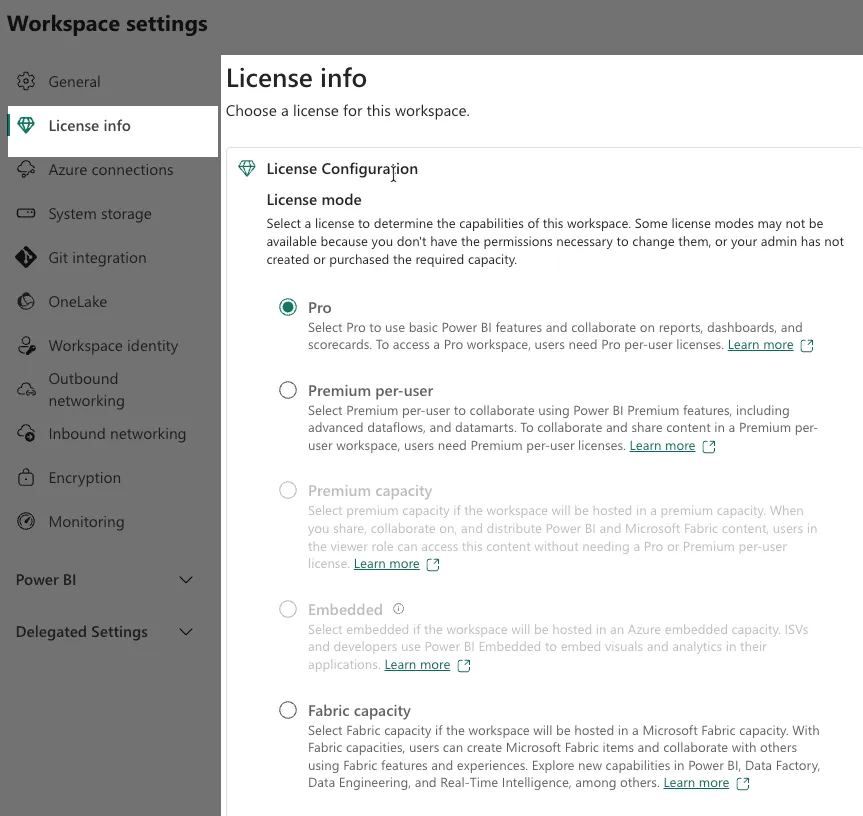
All Power BI or Fabric Items live in a Workspace. A Workspace is backed by Capacity. You can see what kind of Capacity backs a given Workspace by opening that Workspace at powerbi.com, clicking "Workspace Settings", then "License Info".

An Item can be a Power BI report, a semantic model or a data warehouse. Power BI Items are those listed below. All other Items are Fabric Items.
Source: Power BI
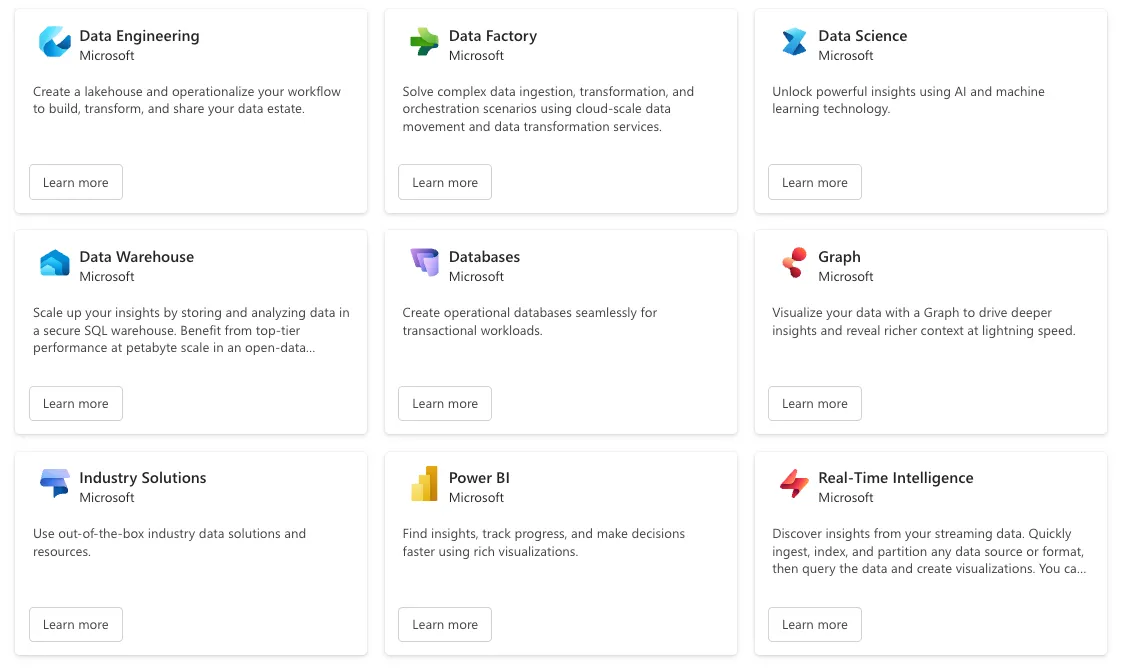
Workloads group logically related sets of Items. For example, the Data Engineering Workload has Items like Lakehouse, Notebook, and User Data Functions. A sample of current Workloads is shown below.
Workloads define logical groupings, not hard-and-fast boundaries. Items may appear under multiple Workloads. Notebooks, for example appear under both the Data Engineering and Data Science workloads.
The Power BI Workload is an exception to the statement above. Items under the Power BI Workload are designated Power BI Items, and are the only Items eligible to run in Shared Capacity.
Fabric is always licensed by purchasing a Dedicated Capacity. The size of Capacity you buy determines how many CU operations you can perform per second. "CU" stands for "Capacity Unit" and serves as a proxy metric representing Capacity resources.
All the operations performed by Items running in Fabric Capacity consume CU. To provide a more granular measurement, Microsoft often measures consumption in "CU(s)" which stands for "Capacity Unit Seconds". You can find a more detailed information about CU consumption, including bursting and smoothing, in this post from That Fabric Guy.
You monitor which Items are consuming CU using the Microsoft Fabric Capacity Metrics App.
All Power BI users need one of these three user-based Power BI licenses:
Licensing forces Power BI Users into two groups: Power BI Content Creators and Power BI Viewers.
Power BI Content Creators create and edit Power BI Items.
All Power BI Content Creators require either a Power BI Pro or Power BI Premium Per User license. This is true whether the Items they create are backed by Shared Capacity or Dedicated Capacity.
Power BI Viewers consume and use Power BI Content, but do not create or edit it. Power BI Viewers must also have a user-based license.
The type of Capacity running the Items they view determines which user-based license Power BI Viewers require.
Source: Power BI: Pricing Plan | Microsoft Power Platform
FirstLight gives companies better ways to see and use information. We are happy to provide this concise summary to the community. If FirstLight can help you understand or optimize your Fabric and Power BI licensing, please Contact Us.




.png)

.png)




.webp)